> For the complete documentation index, see [llms.txt](https://docs.inspiredflight.com/inspired-documentation/llms.txt). Markdown versions of documentation pages are available by appending `.md` to page URLs; this page is available as [Markdown](https://docs.inspiredflight.com/inspired-documentation/products/aircraft/if1200/about-the-if1200/overview.md).
# Overview
## IF1200 Overview
There are three models of the IF1200A, each differ according to which remote control they use:
* IF1200 [HereLink Blue](/inspired-documentation/products/ground-control-stations/herelink.md): uses the NW Blue HereLink Blue remote control
* IF1200 [HereLink Black](/inspired-documentation/products/ground-control-stations/herelink.md): uses the CubePilot HereLink hand controller
* IF1200 [Long Range Telemetry (LRT)](/inspired-documentation/products/ground-control-stations/long-range-telemetry-lrt.md): uses the Jeti DS-12 hand controller in conjunction with the RFD900x-US radio
All three versions of the IF1200A are identical except for the remote control. This Pilot Operating Handbook (POH) will cover all three.
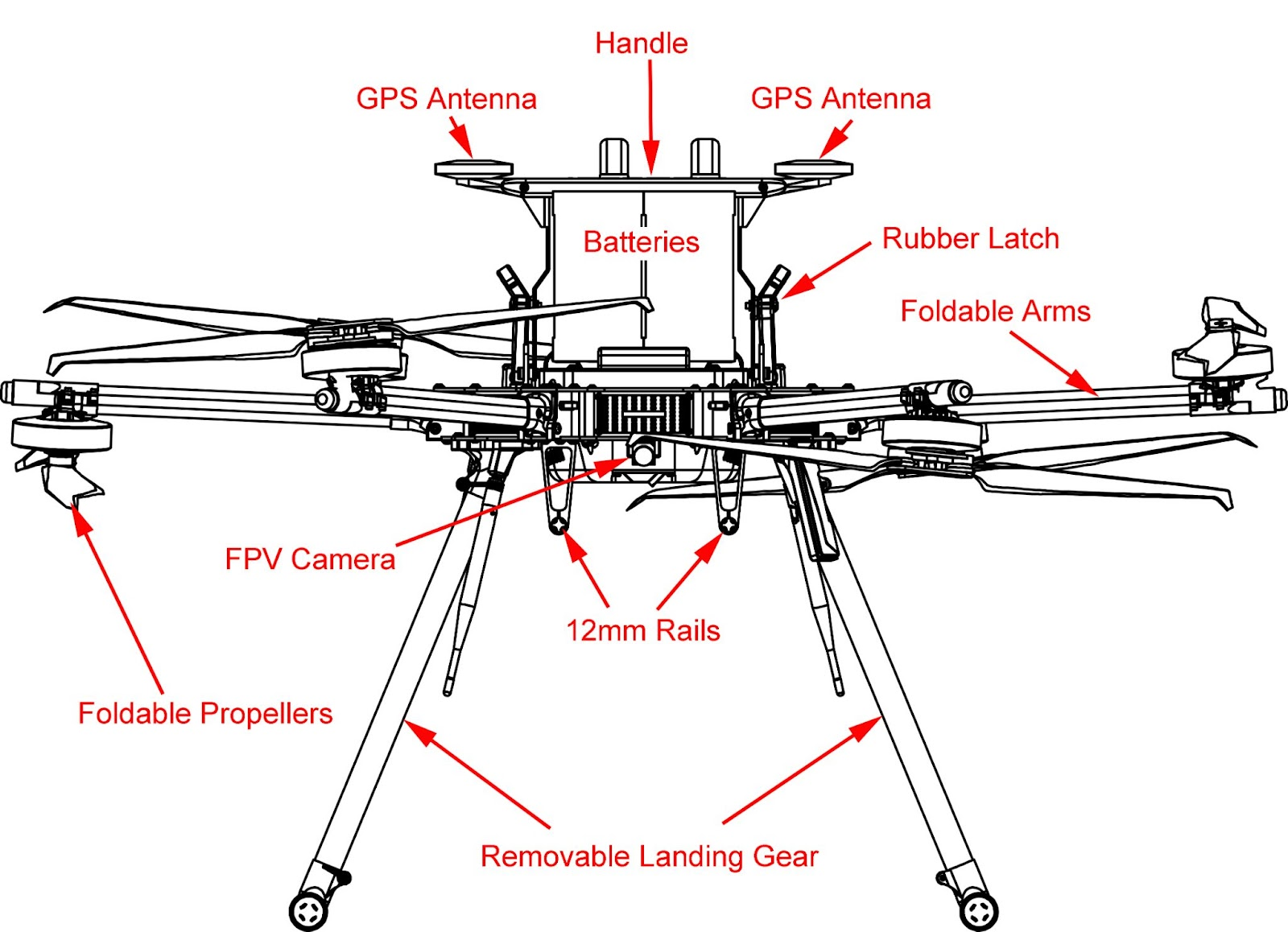
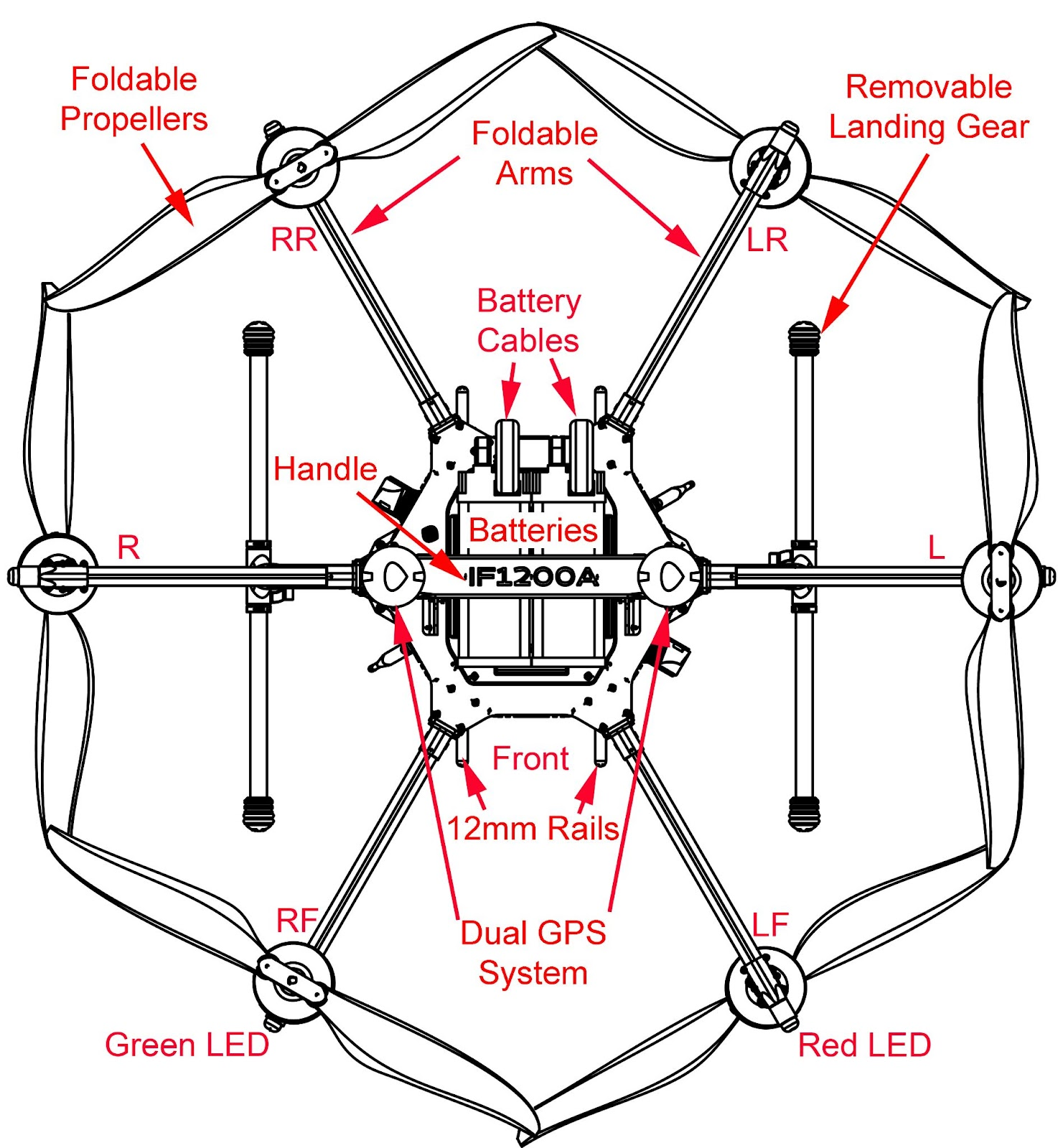
Figures 1 and 2 below provide both a front and top down view of the aircraft including labeled components to help familiarize users with the IF1200A orientation.
### IF1200A Front View
Figure 1. IF1200A (Front View)
### IF1200A Top Down View
{% hint style="info" %}
NOTE: The Handle incorporates a dual GPS, and also serves as a battery clamp for the aircraft.
{% endhint %}
Figure 2. Top View of the IF1200A Aircraft facing towards you
### Orientation
The six arms in Figure 2 are designated as follows:
* LF: Left Front (red LED)
* RF: Right Front (green LED)
* R: Right side of aircraft (white LED)
* RR: Right Rear (white LED)
* LR: Left Rear (white LED)
* L: Left side of aircraft (white LED)