> For the complete documentation index, see [llms.txt](https://docs.inspiredflight.com/inspired-documentation/llms.txt). Markdown versions of documentation pages are available by appending `.md` to page URLs; this page is available as [Markdown](https://docs.inspiredflight.com/inspired-documentation/products/inspired-suite/inspired-ground-control-igc/button-mapping.md).
# Button Mapping
This section describes the location and function of the flight mode controls on the GS-ONE and Herelinkhand controllers.
### GS-ONE Button Mapping
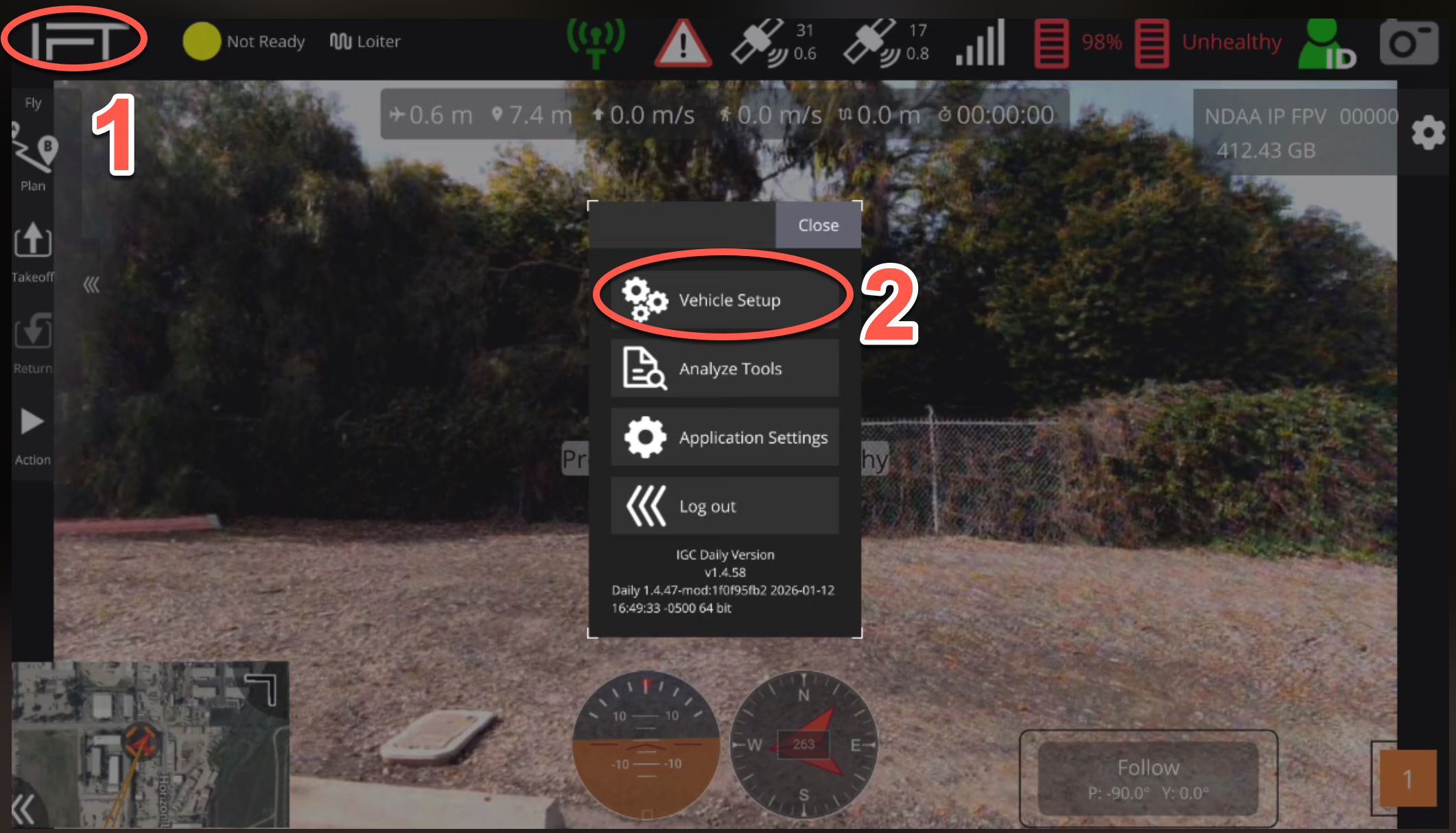
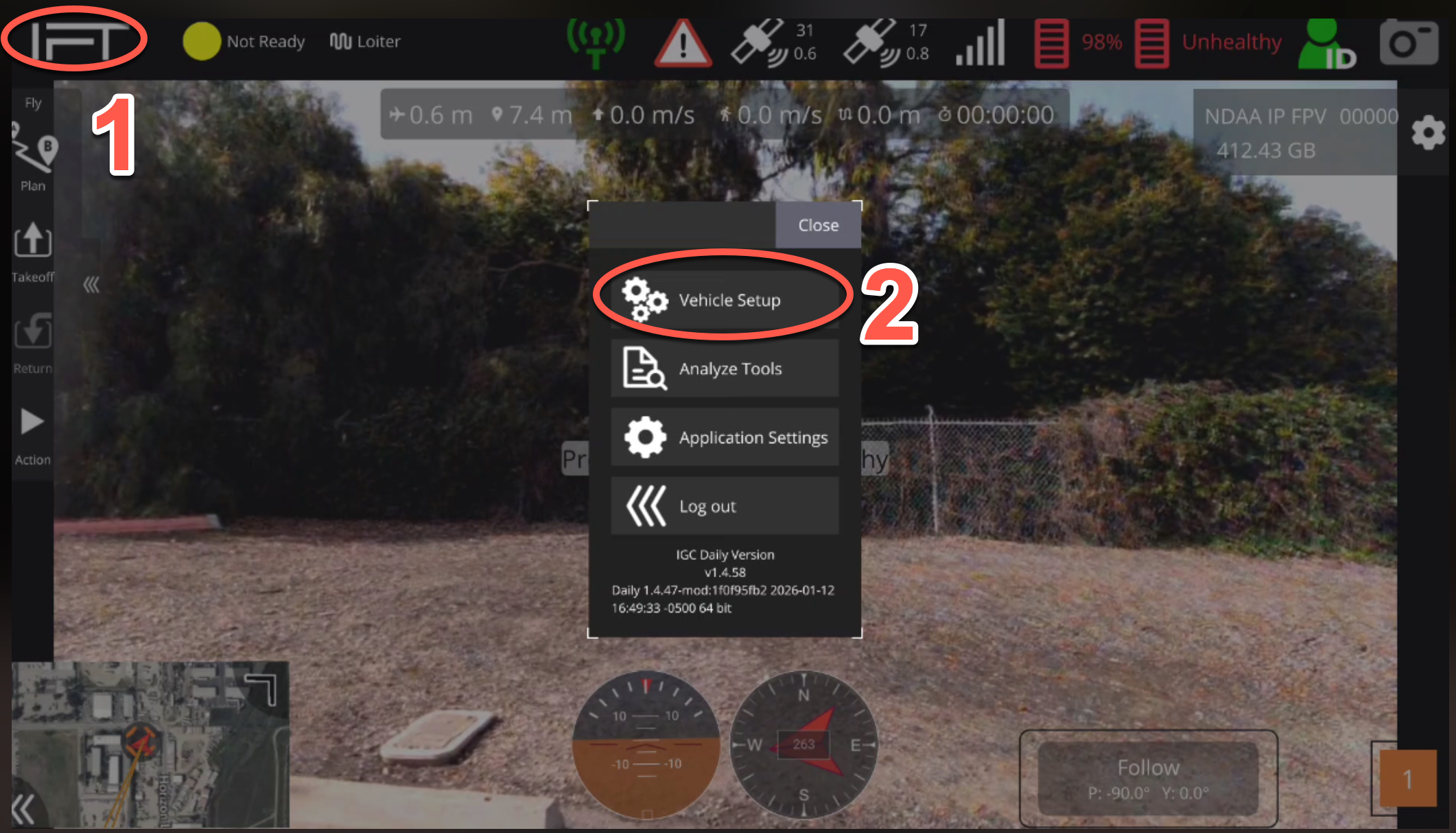
1. Select the IFT icon at the top left corner of IGC.
2. Select "Vehicle Setup".
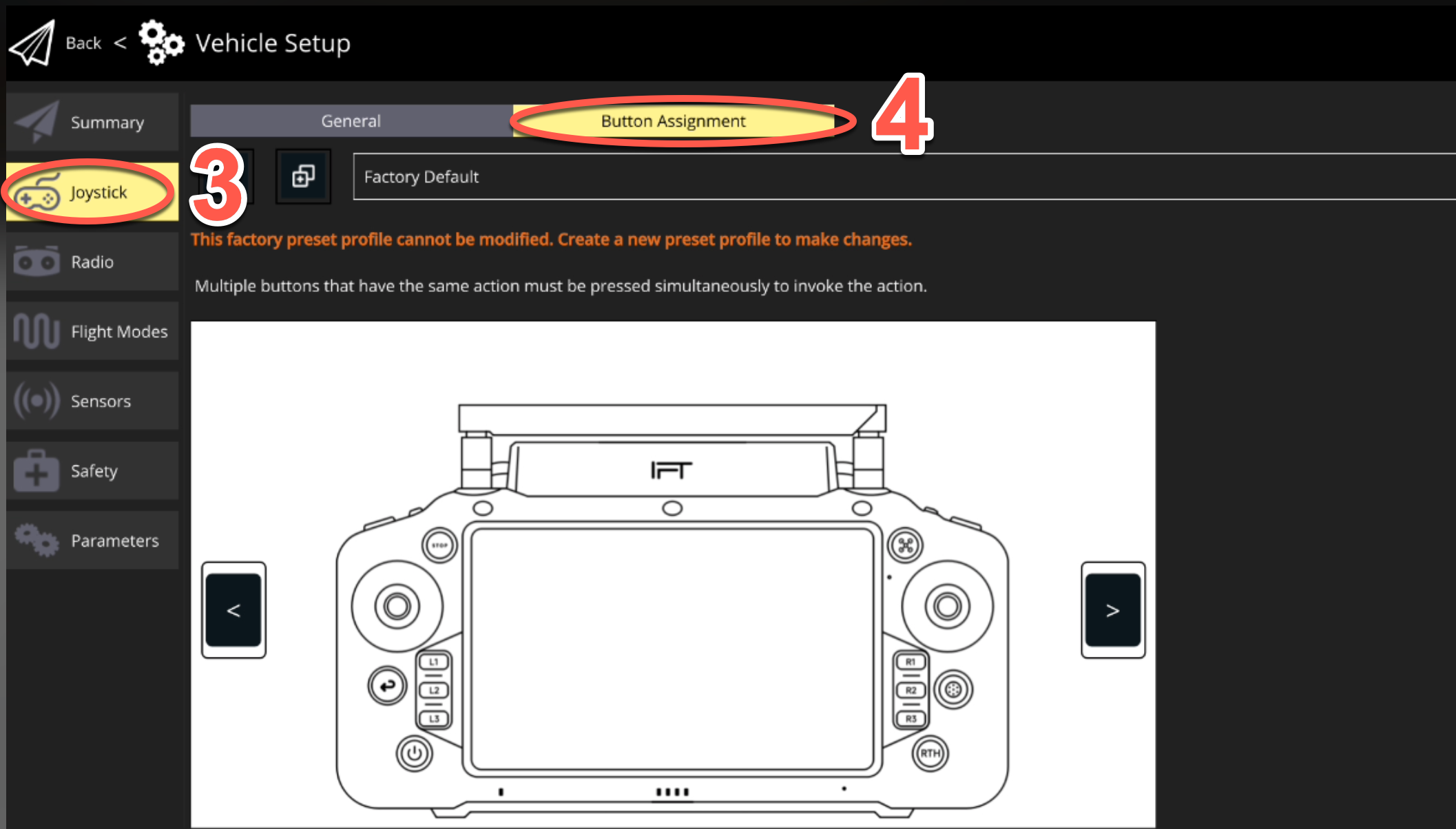
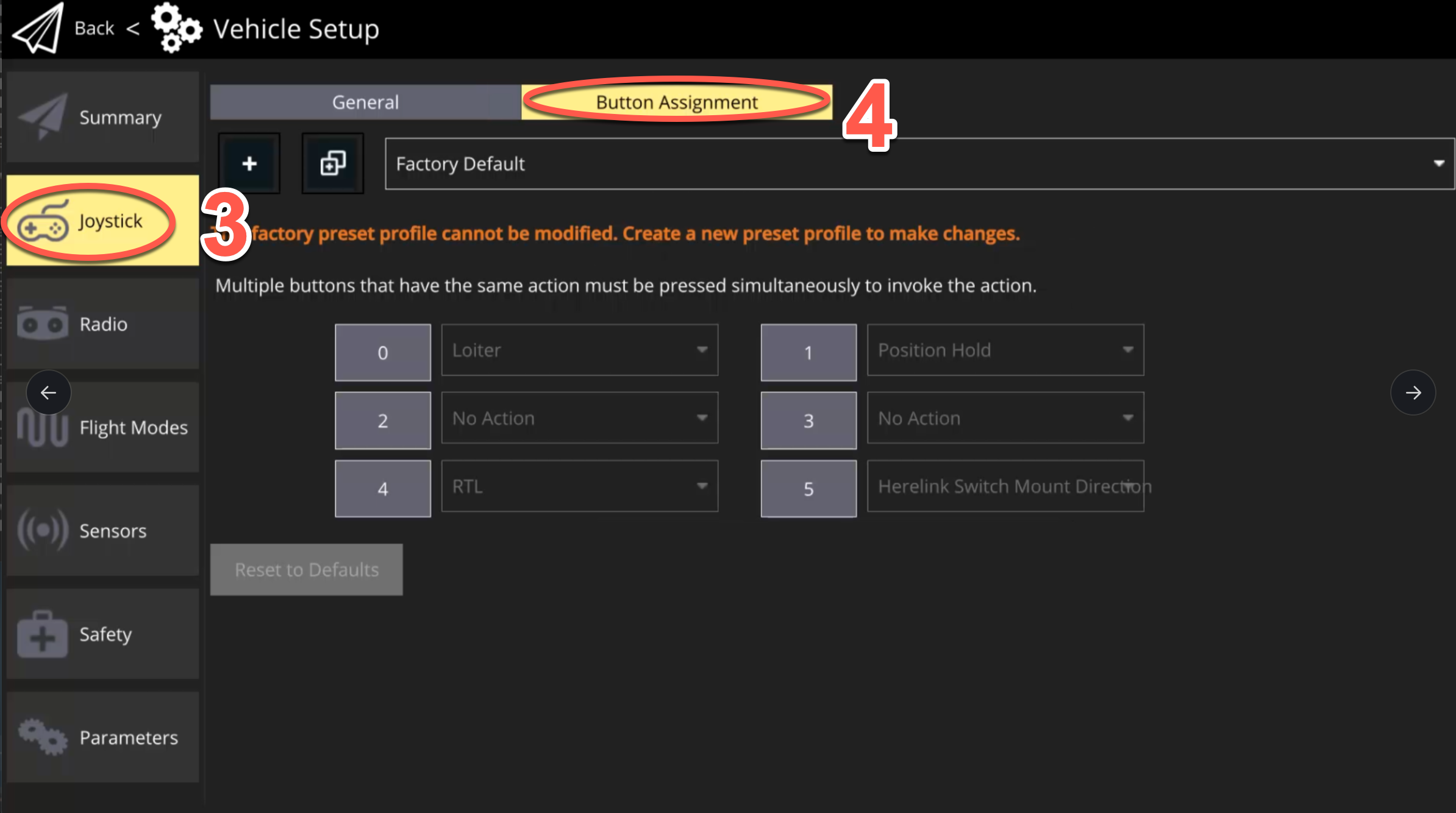
3. Select "Joystick" tab.
4. Select "Button Assignment" tab.
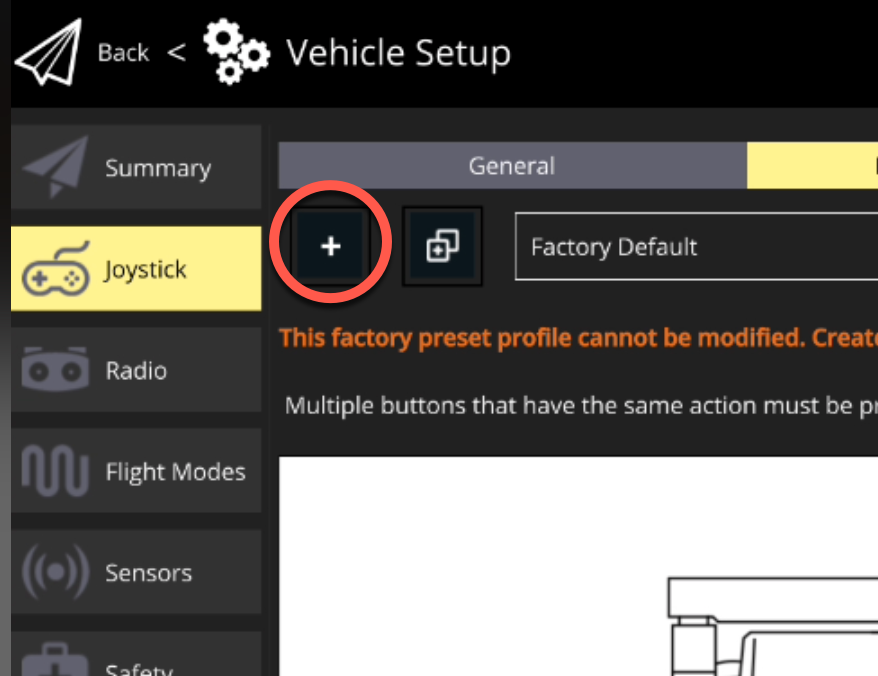
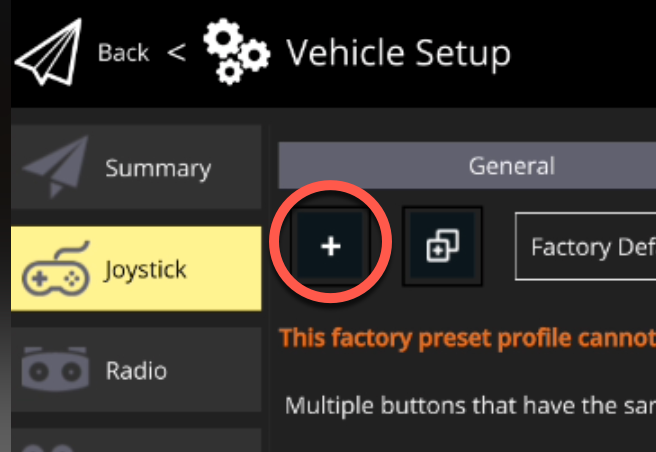
5. Select the "+" icon to create a new mapping profile.
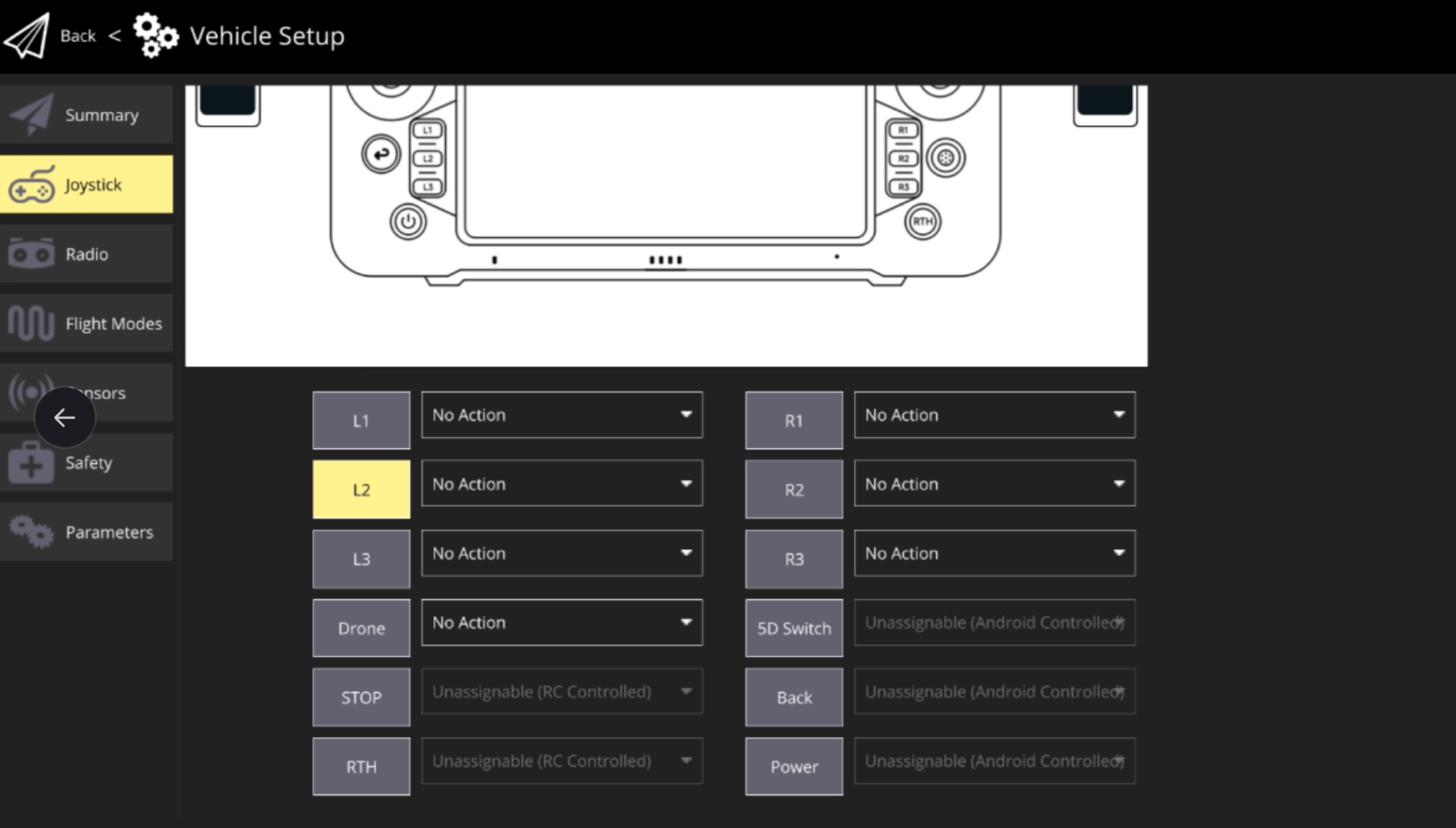
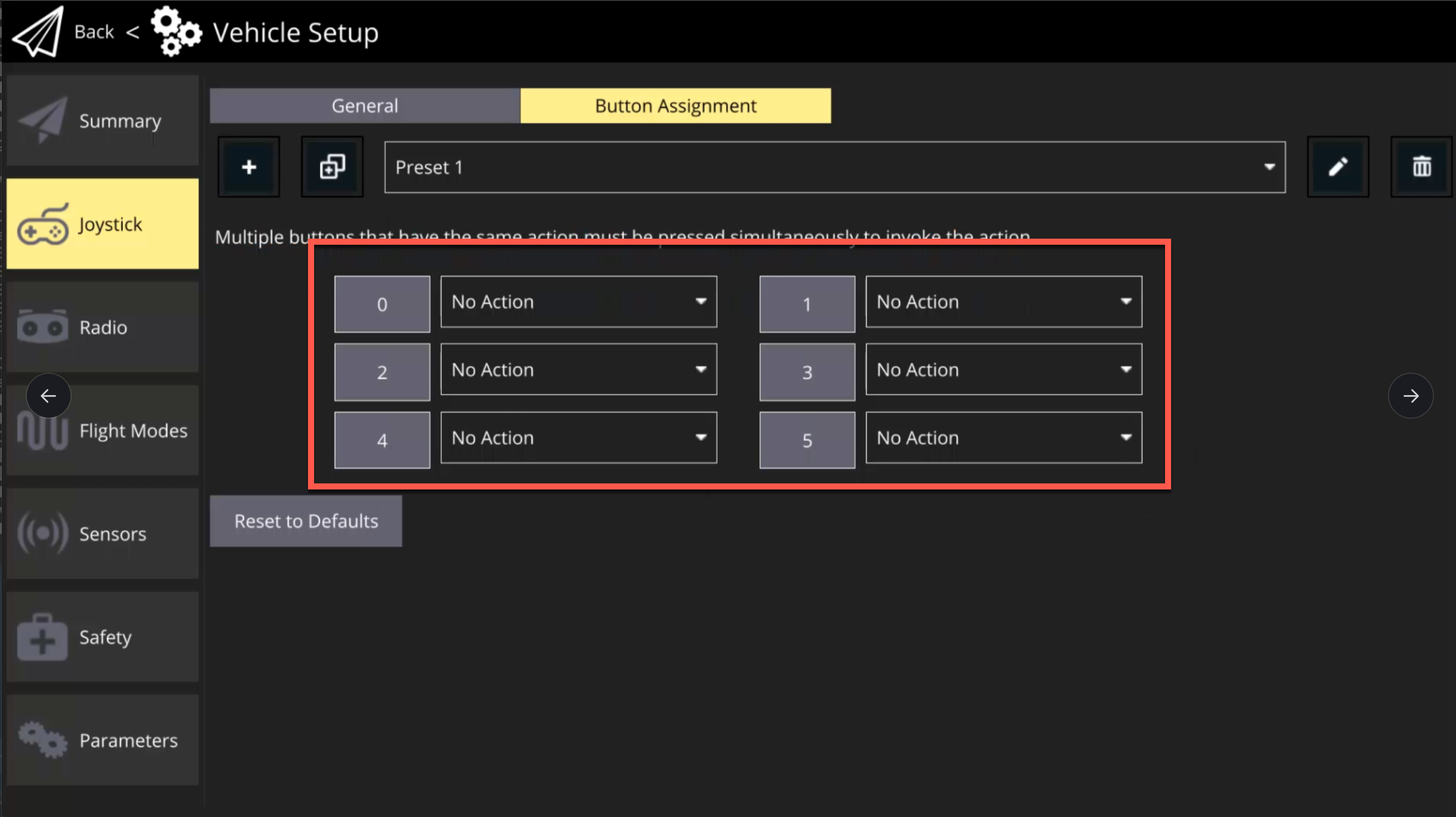
6. Once a new profile has been created, remap the desired buttons.
### Herelink Button Mapping
{% embed url="" %}
1. Select the IFT icon at the top left corner of IGC.
2. Select "Vehicle Setup".
3. Select "Joystick" tab.
4. Select "Button Assignment" tab.
5. Select the "+" icon to create a new mapping profile.
6. Once a new profile has been created, remap the desired buttons. The table below shows the corresponding labels.
{% hint style="danger" %}
Note: Be sure to map the essential flight modes shown below Step 4 above (RTL, Loiter, Position Hold), as it is very risky to fly without the ability to change desired flight modes.
{% endhint %}
| Button Label | Corresponding Button | Default Mapping |
| ------------ | -------------------- | ------------------------------- |
| 0 | A | Loiter |
| 1 | B | Position Hold |
| 2 | C | (No Action) |
| 3 | D | (No Action) |
| 4 | Home | RTL |
| 5 | Top Right Trigger | Herelink Switch Mount Direction |