> For the complete documentation index, see [llms.txt](https://docs.inspiredflight.com/inspired-documentation/llms.txt). Markdown versions of documentation pages are available by appending `.md` to page URLs; this page is available as [Markdown](https://docs.inspiredflight.com/inspired-documentation/products/inspired-suite/inspired-ground-control-igc/button-mapping.md).

# Button Mapping

### GS-ONE Button Mapping

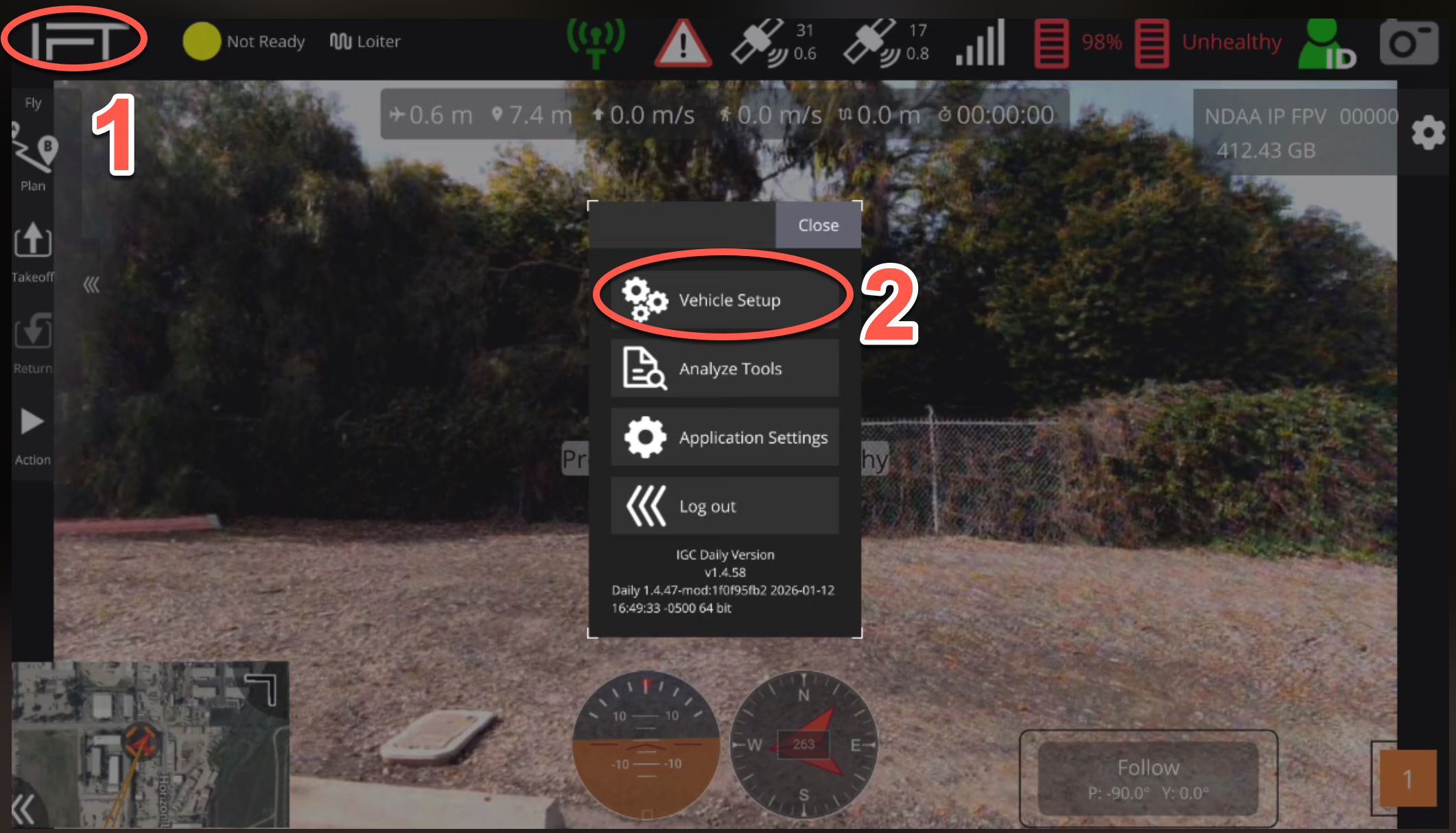
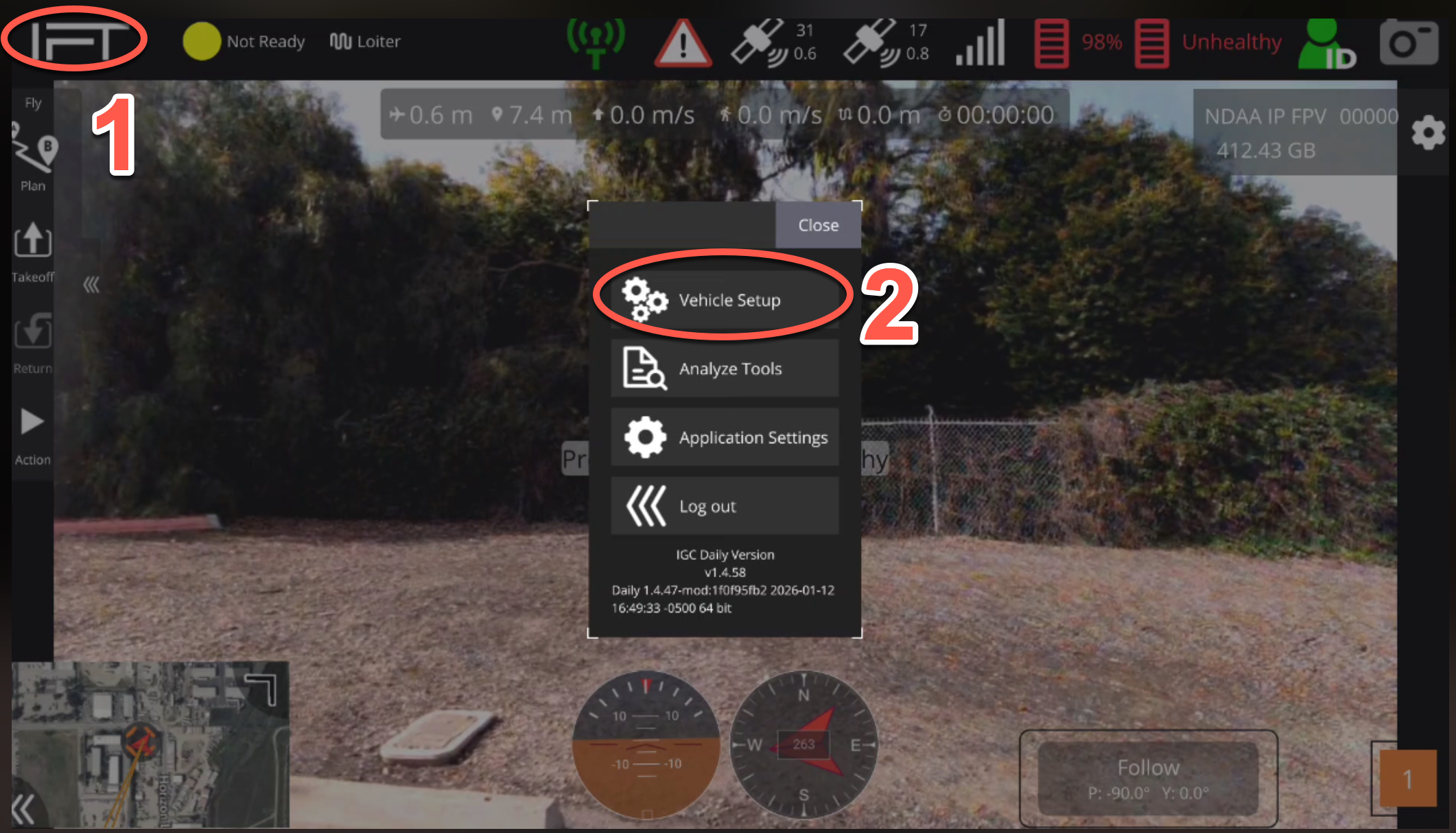
1. Select the IFT icon at the top left corner of IGC.
2. Select "Vehicle Setup".

<figure><img src="/files/XCI9Jij4KOYYTEH5R7hr" alt=""><figcaption></figcaption></figure>

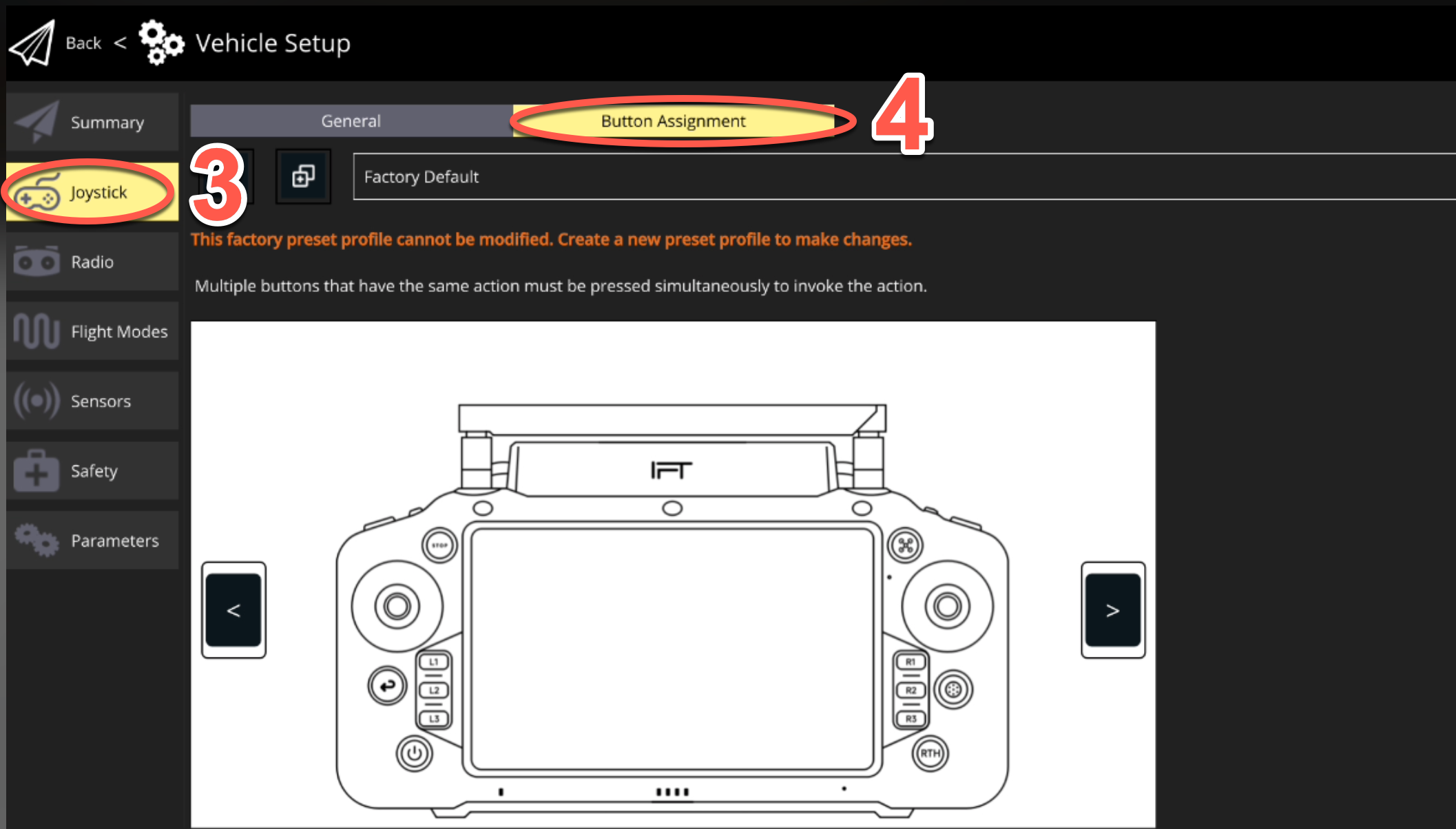
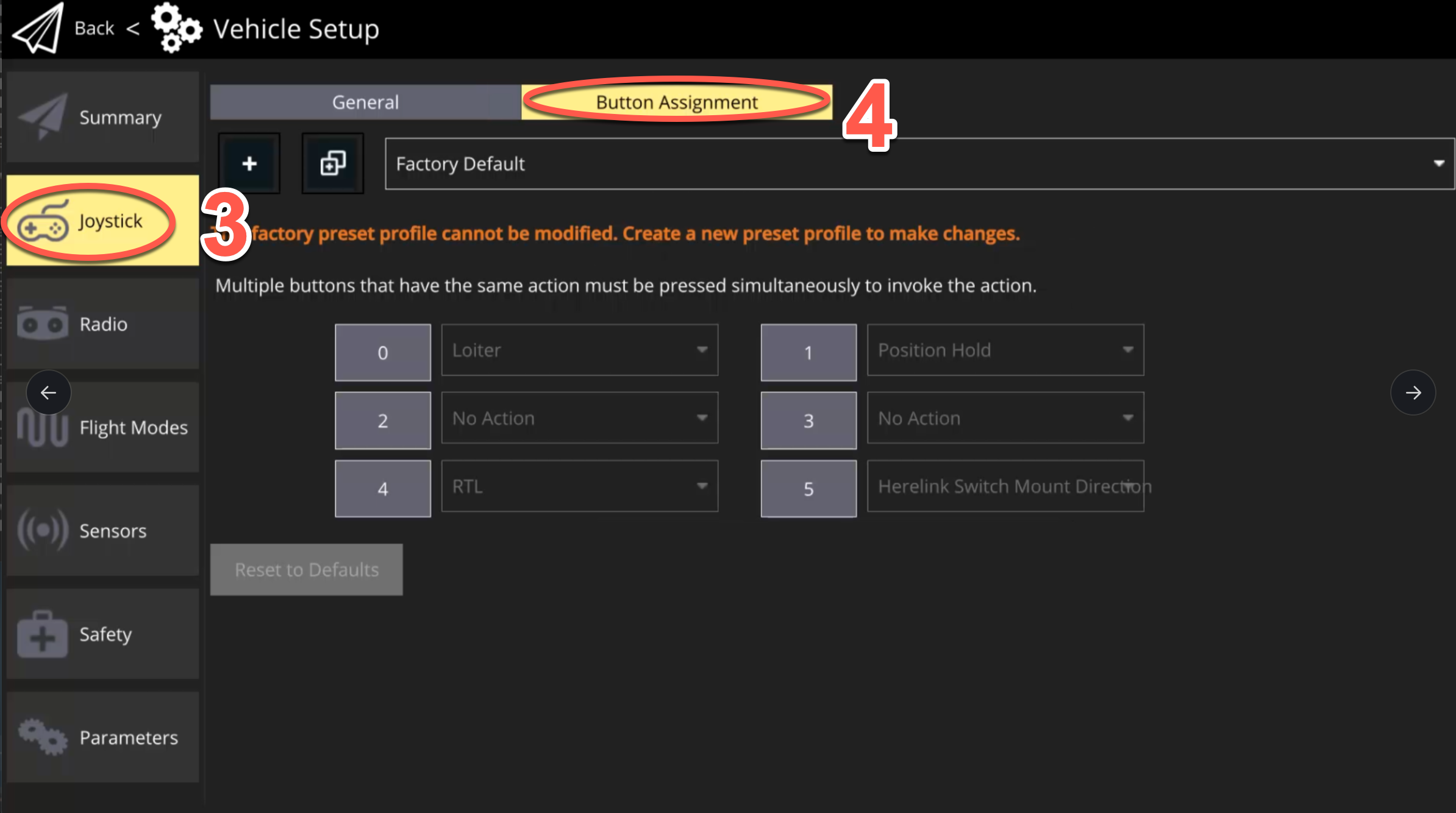
3. Select "Joystick" tab.
4. Select "Button Assignment" tab.

<figure><img src="/files/4sj2D6wXOvrJdSKNTIMf" alt=""><figcaption></figcaption></figure>

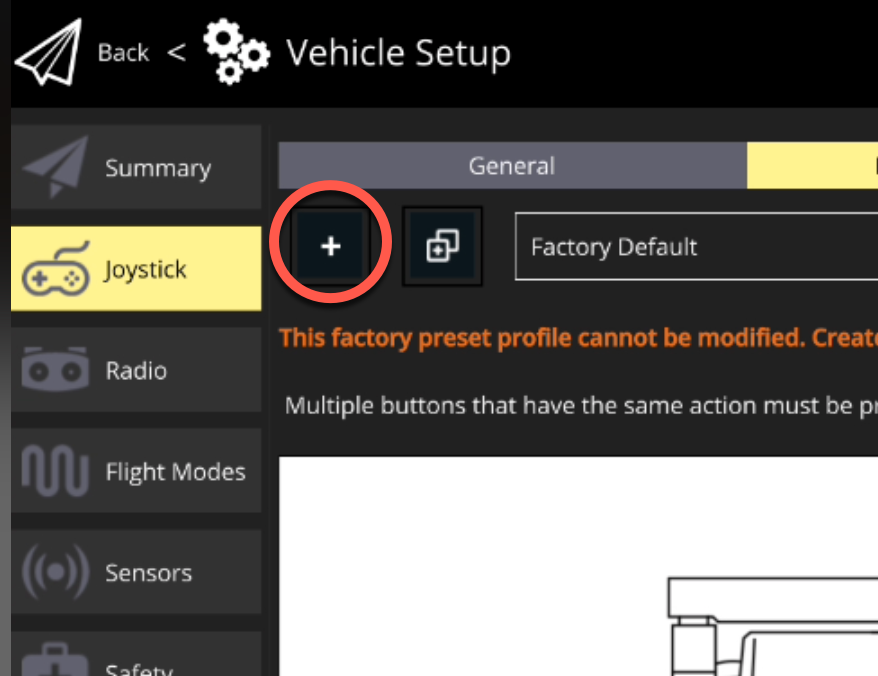
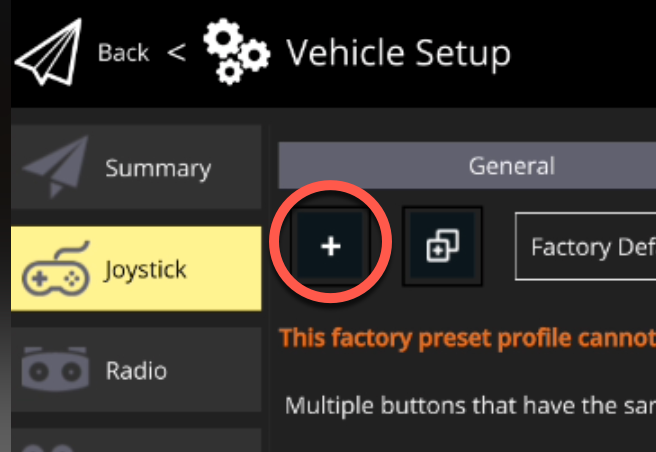
5. Select the "+" icon to create a new mapping profile.

<figure><img src="/files/QNKhytNgiGUGbP0pId6e" alt=""><figcaption></figcaption></figure>

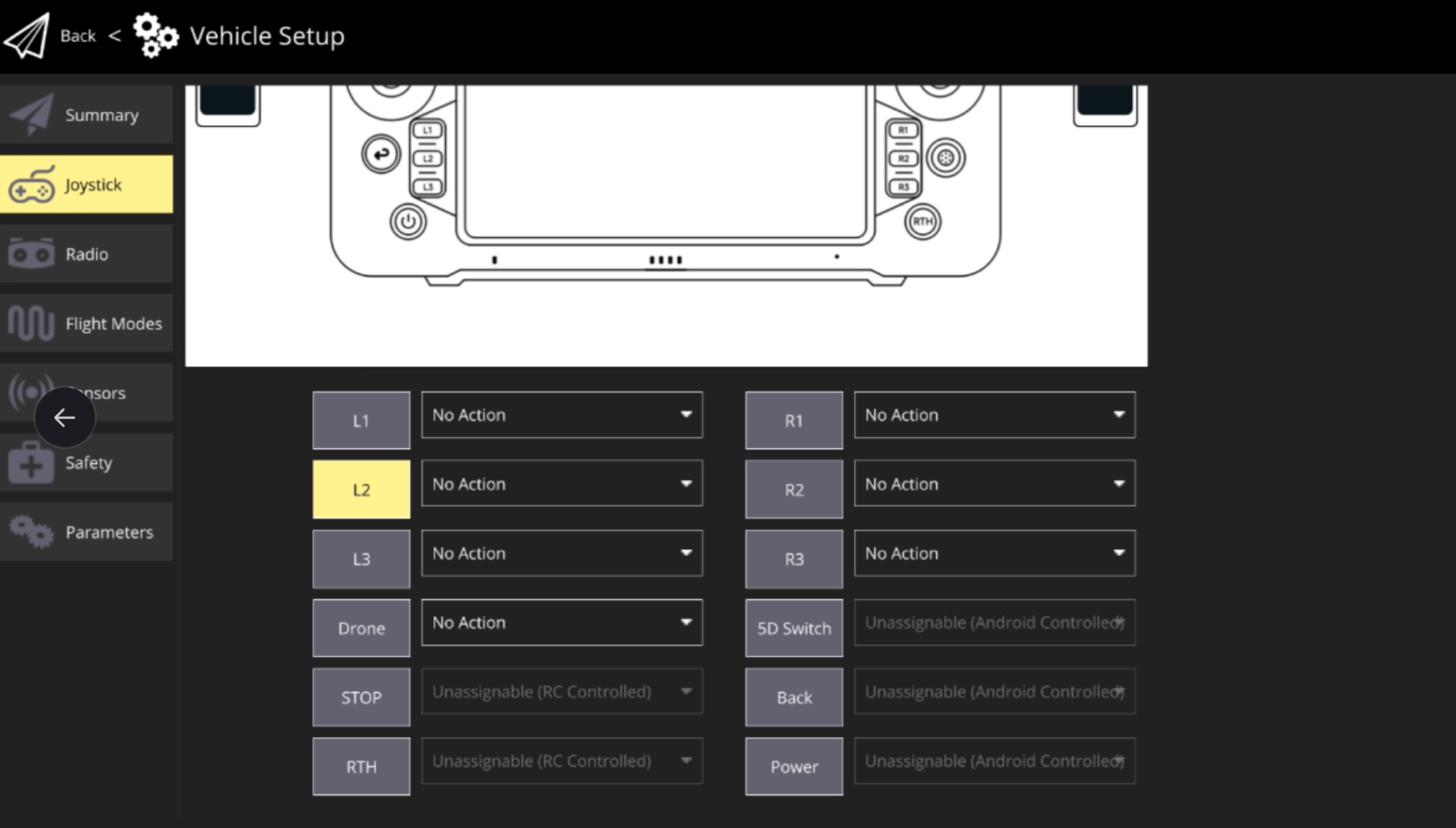
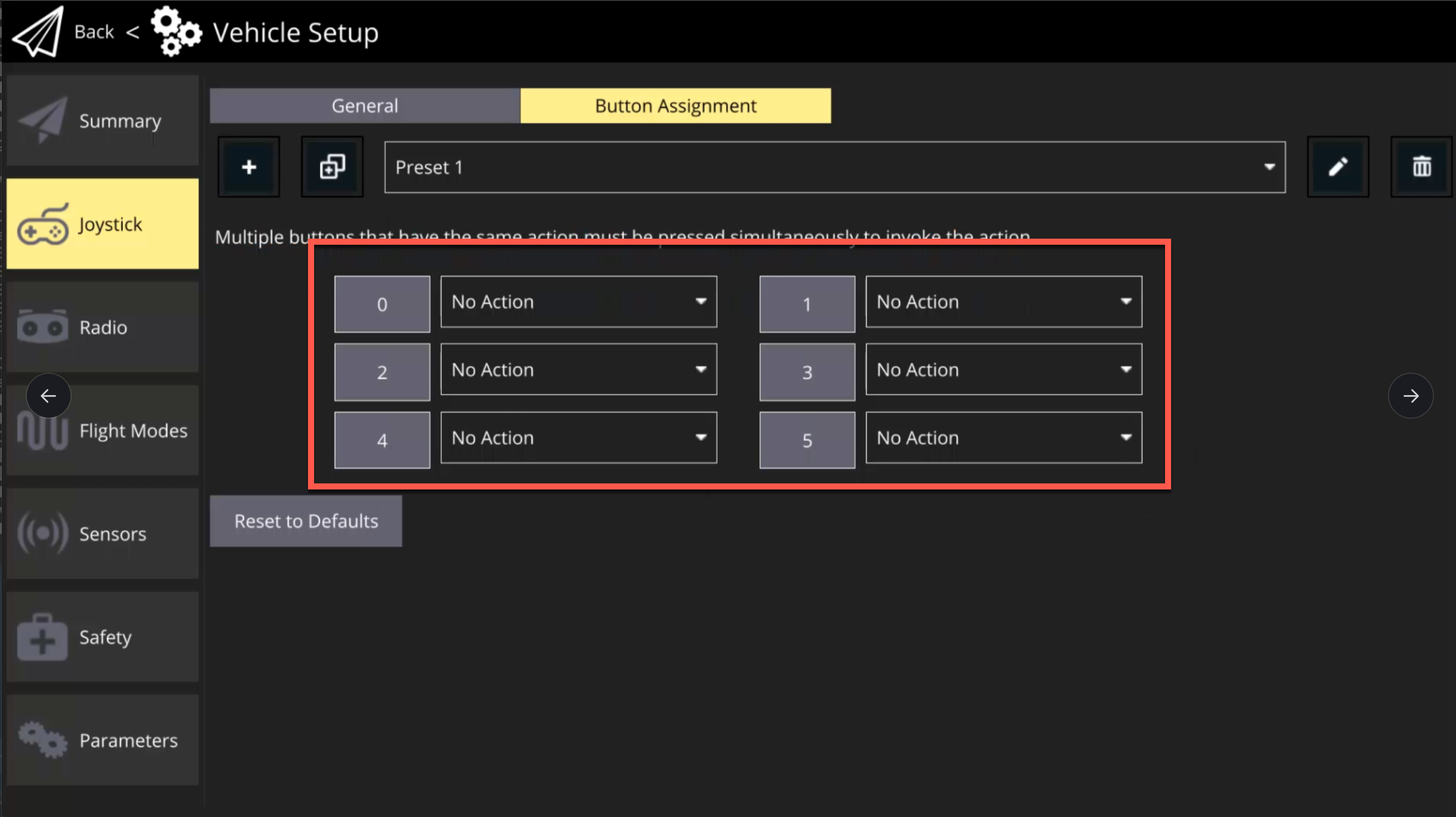
6. Once a new profile has been created, remap the desired buttons.

<figure><img src="/files/s720XGHsMYiUBhx2iVey" alt=""><figcaption></figcaption></figure>

### Herelink Button Mapping

1. Select the IFT icon at the top left corner of IGC.
2. Select "Vehicle Setup".

<figure><img src="/files/DqsdHhvVTlFCKojUVOa5" alt=""><figcaption></figcaption></figure>

3. Select "Joystick" tab.
4. Select "Button Assignment" tab.

<figure><img src="/files/5O55dKj421viHatHw3Oo" alt=""><figcaption></figcaption></figure>

5. Select the "+" icon to create a new mapping profile.

<figure><img src="/files/5zL80CqnOI4TZwuPKQ8C" alt=""><figcaption></figcaption></figure>

6. Once a new profile has been created, remap the desired buttons. The table below shows the corresponding labels.

{% hint style="danger" %}
Note: Be sure to map the essential flight modes shown below Step 4 above (RTL, Loiter, Position Hold), as it is very risky to fly without the ability to change desired flight modes.
{% endhint %}

<figure><img src="/files/DCE1eEk854JjBJgCyf80" alt=""><figcaption></figcaption></figure>

| Button Label | Corresponding Button | Default Mapping                 |
| ------------ | -------------------- | ------------------------------- |
| 0            | A                    | Loiter                          |
| 1            | B                    | Position Hold                   |
| 2            | C                    | (No Action)                     |
| 3            | D                    | (No Action)                     |
| 4            | Home                 | RTL                             |
| 5            | Top Right Trigger    | Herelink Switch Mount Direction |