> For the complete documentation index, see [llms.txt](https://docs.inspiredflight.com/inspired-documentation/llms.txt). Markdown versions of documentation pages are available by appending `.md` to page URLs; this page is available as [Markdown](https://docs.inspiredflight.com/inspired-documentation/products/payloads/sony-lr1/camera-controls-and-settings-on-igc.md).
# Camera Controls and Settings on IGC
{% hint style="warning" %}
For important instructions on how to change settings while swapping between Vio & LR1 payloads with IGC on Herelink, please see the [Payload Swapping on Herelink (IGC 1.3 and Earlier)](/inspired-documentation/products/payloads/payload-swapping/payload-swapping-on-herelink-igc-1.3-and-earlier.md) section.
{% endhint %}
## IGC LR1 Controls / Interface:
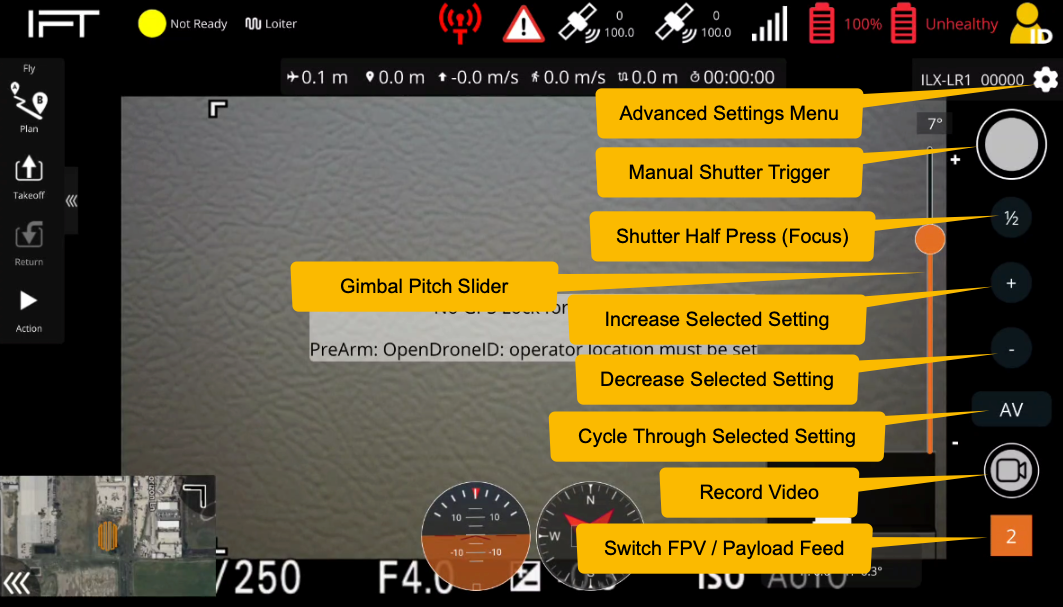
The LR1 is controlled by on screen controls that automatically populate when the payload is attached.
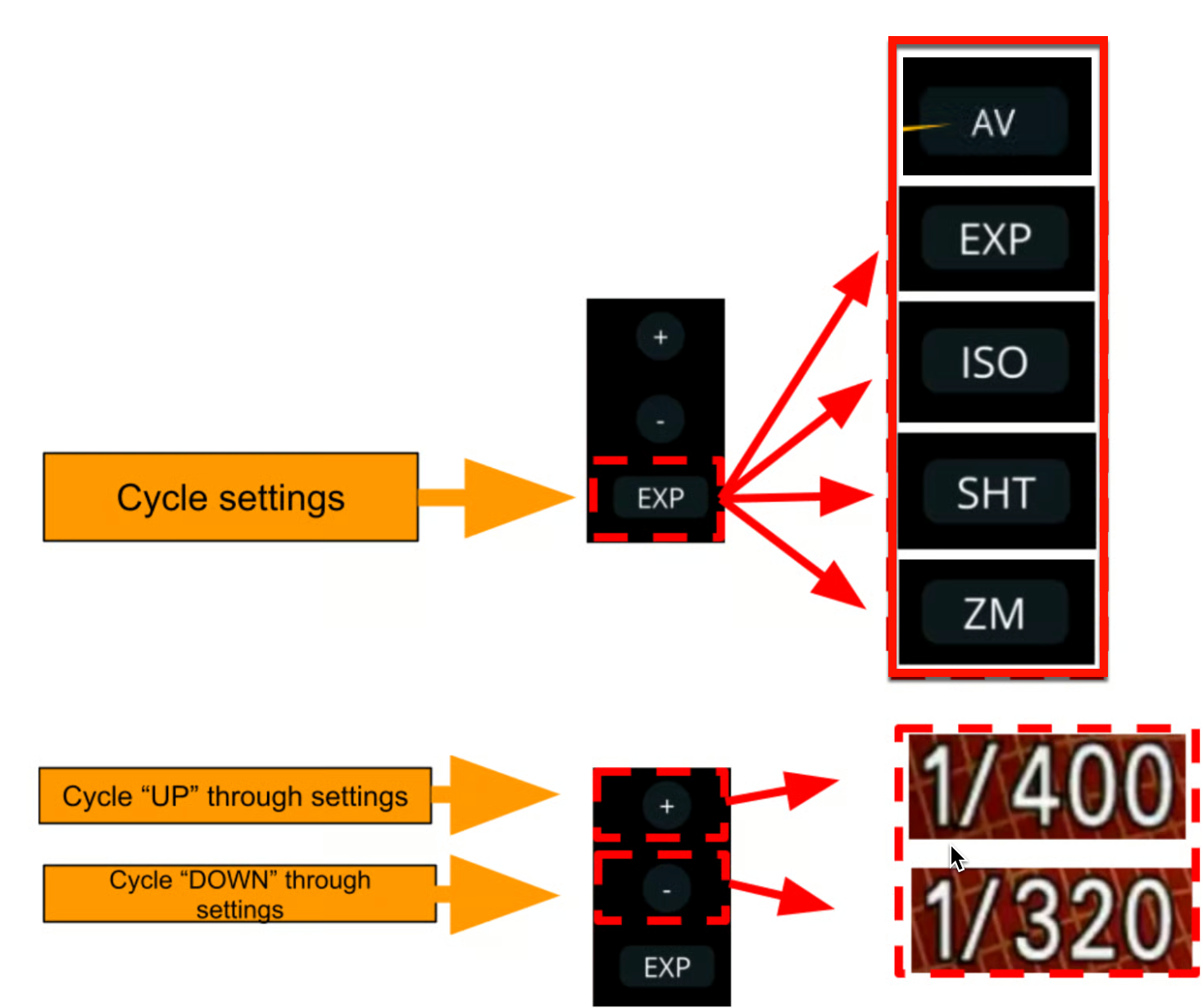
* When you press the "Cycle Settings" button, it will change which setting the '+' and '-' buttons increase and decrease the value of: Aperture (AV), Exposure (EXP), ISO (ISO), Shutter (SHT), Zoom (ZM).
Cycle Settings Button allows you to cycle through the different camera settings options. The '+' and '-' buttons increase or decrease the value of the selected camera setting.
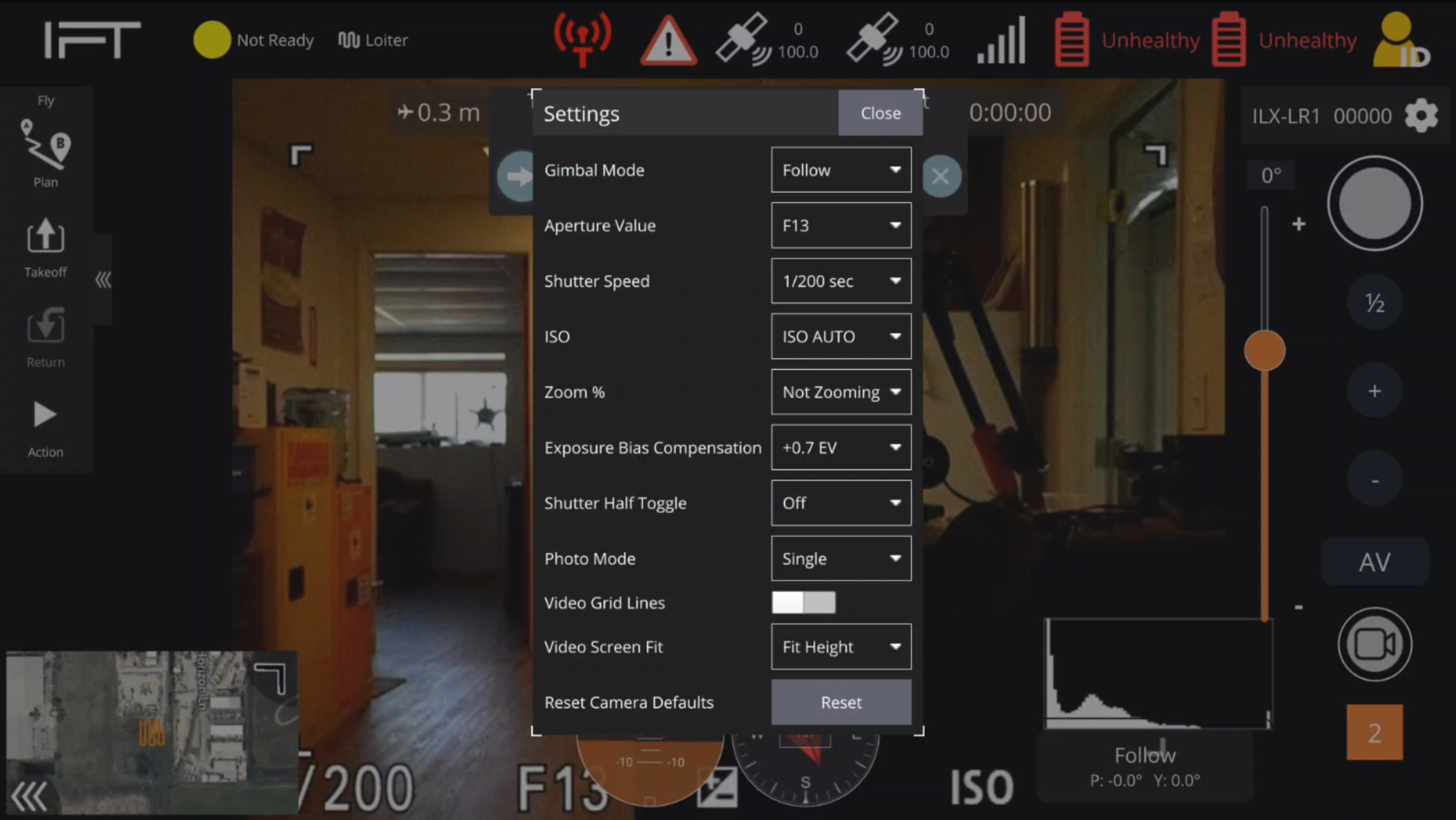
### Advanced Settings Menu
The Advanced Settings Menu options available are seen below: